

Why Choose A4 Adhesive Label Paper for Your Business?
A4 Adhesive Label Paper can turn an ordinary office printer into a practical labeling tool. Its 210 × 297 mm sheet size fits familiar workflows, from product stickers to address labels and inventory tags. Peel, place, print. The format is convenient, but convenience alone is not a buying strategy.
The market context is substantial. Grand View Research estimates that the global pressure-sensitive labels market reached USD 101.1 billion in 2023, with projected growth of 4.9% annually from 2024 to 2030. This figure covers a broad label market, not A4 sheets specifically. It still points to growing demand for labels that communicate clearly and work reliably. A clean label on a carton helps staff identify stock; a misaligned print wastes a sheet.
Choosing the right paper means checking adhesive strength, surface finish, and printer compatibility. Inkjet and laser printers may require different coatings, so confirm the product specification before ordering in bulk. Small details matter. Labels can curl, smudge, or lift when the paper and application do not match. A4 adhesive sheets are not ideal for every production line, either. That is worth admitting. For small batches and changing office needs, however, they offer a flexible starting point—provided the first test print looks right.
What A4 Adhesive Label Paper Is and How It Is Structured
Why Choose A4 Adhesive Label Paper for Your Business?
What A4 Adhesive Label Paper Is and How It Is Structured
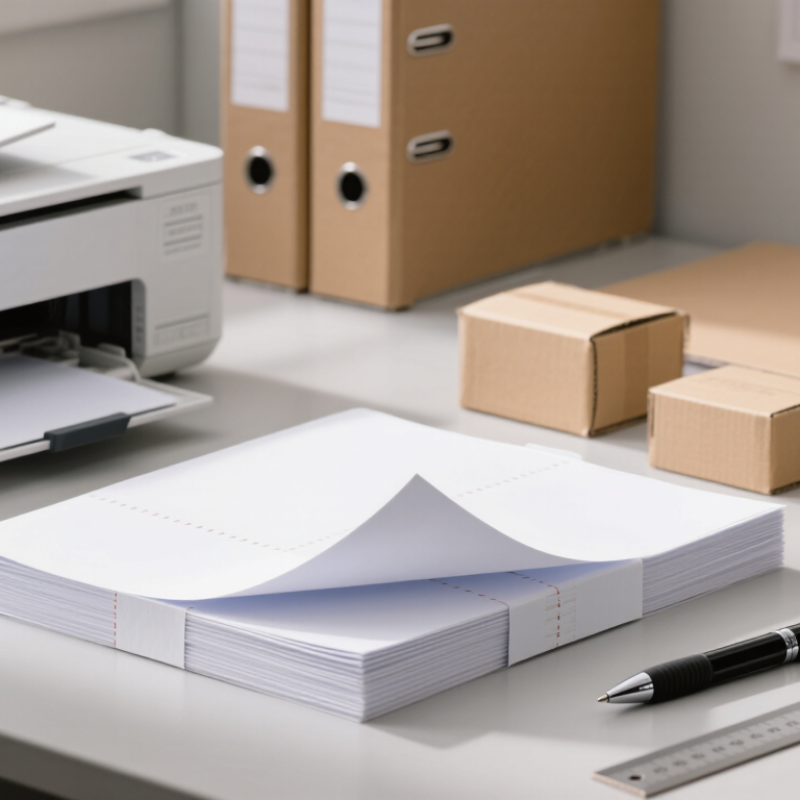
A4 adhesive label paper is a printable sheet measuring 210 by 297 millimetres, following ISO 216 dimensions. It is built in layers. The top layer is the face stock, usually paper, which receives ink or toner. Beneath it sits a pressure-sensitive adhesive. A silicone-coated release liner protects the adhesive until the label is peeled away. Three parts. A thin topcoat may also improve print sharpness or resist smudging, but its presence depends on the sheet’s intended printer and use.
These layers affect everyday results. A slightly textured face can absorb ink differently from a smooth, coated surface, while excess heat in some laser printers may soften unsuitable adhesives. Check printer compatibility and test a sheet before printing a large batch. That small step can prevent curled corners or adhesive residue. It is easy to overlook.
Material choices also matter after application. The European Paper Recycling Council’s 2022 Monitoring Report recorded a 71.4% paper and board recycling rate in Europe. That figure does not mean every adhesive label sheet is recyclable: coatings, adhesives, and leftover liner can affect sorting and processing. For practical evaluation, inspect the face paper, adhesive type, liner, and disposal guidance together. Paper is only one part of the structure.
How A4 Label Sheets Work with Printers and Adhesives
Why Choose A4 Adhesive Label Paper for Your Business?
An A4 label sheet measures 210 by 297 millimetres under ISO 216, making it easy to plan labels around familiar page layouts. Each sheet combines a printable face stock, pressure-sensitive adhesive, and a release liner that protects the adhesive before use. Smithers’ report The Future of Labels to 2028 estimates the global label market at about $47.9 billion in 2023, reflecting the broad demand for practical labeling formats. The figure covers many label types, not A4 sheets alone.
Printer performance depends on matching the face stock to the printing process. Inkjet-compatible sheets usually need a receptive coating that absorbs liquid ink; laser-compatible sheets must tolerate heat from the fuser. Check the printer’s paper-weight guidance and feed labels one sheet at a time when testing. Small detail. Keep the adhesive edge fully covered by the face stock, and avoid reusing sheets with missing labels, since exposed adhesive can foul rollers. Adhesion also depends on the surface: a clean, dry carton may hold well, while a dusty or curved container may not. A test print can look perfect, yet still tell you little about long-term sticking. Test the actual sheet, printer, and packaging together.
Why Choose A4 Adhesive Label Paper for Your Business?
How A4 label sheets work with printers and adhesives
A4 sheet dimensions (mm)
ISO 216 defines A4 as 210 × 297 mm. These measurements describe the full sheet, not the size or number of individual labels. Before printing, check that the sheet’s face material, coating, and adhesive are suitable for your printer, and follow the printer manufacturer’s guidance for feeding label stock. Laser printers use heat to fuse toner; inkjet printers apply liquid ink, so print performance can vary by label material.
Where Businesses Use A4 Adhesive Labels
Why Choose A4 Adhesive Label Paper for Your Business?
Where Businesses Use A4 Adhesive Labels
A4 adhesive label sheets suit businesses that need flexible, short-run identification. Teams use them for parcel addresses, return routing, carton contents, shelf bins, file folders, and sample containers. In a small dispatch room, one sheet can hold several different labels without requiring a roll-label printer. Keep the text clear and readable. Tiny print can disappear on a rough carton.
The scale of shipping helps explain this need. Pitney Bowes’ 2024 Parcel Shipping Index estimates that 161 billion parcels moved worldwide in 2023. The U.S. Census Bureau reports that U.S. e-commerce sales reached $1.1926 trillion in 2024, equal to 16.1% of total retail sales. These figures describe growing retail and parcel activity, not demand for A4 labels specifically. Still, they show why adaptable, legible dispatch labels matter.
In stockrooms, staff can mark storage boxes, bins, and temporary inventory without ordering custom rolls. Offices can label folders and archive cartons, while small producers can identify packages or product samples. Check that the label sheet matches the printer type; adhesive and heat compatibility vary. There is a catch. A badly aligned sheet wastes labels, and peeling one off can slow packing. Test a page before printing a large batch.
Key Benefits for Business Labeling and Organization
Why Choose A4 Adhesive Label Paper for Your Business?
Key Benefits for Business Labeling and Organization
A4 adhesive label paper makes everyday labeling easier to manage. Each 210 × 297 mm sheet fits many common office printers, so teams can print shelf codes, folder tabs, product details, or shipping labels in small batches. That helps avoid ordering preprinted labels for every change. A clear label also makes items easier to identify at a glance. Small improvement, real value.
In a stockroom, consistent labels help staff distinguish similar cartons and return supplies to the right shelf. GS1 reports that barcodes are scanned more than 10 billion times worldwide each day, showing how central scannable identification is to business operations. A printed label only helps, though, when its information is accurate and the code remains readable. Adhesive choice matters too: a label that lifts from a dusty box can cause confusion. This is easy to overlook.
Tips: Test one sheet before a large print run. Check printer compatibility, alignment, and adhesive strength on the actual surface. Keep text brief, use strong contrast, and leave clear space around barcodes. Review changing details before reprinting; labels cannot correct outdated records.
How to Choose the Right A4 Adhesive Label Paper
Why Choose A4 Adhesive Label Paper for Your Business?
How to Choose the Right A4 Adhesive Label Paper
Choosing A4 adhesive label paper starts with your printer. Inkjet and laser sheets use different coatings, so check the packaging before loading a full stack. A mismatch may cause smudged ink or poor toner adhesion. Small details matter. Also compare the sheet layout with your template: label width, height, spacing, and margins should match exactly. A few millimeters can shift every label on the page.
Think about the surface and the conditions the label will face. Smooth paper labels suit boxes and folders, while moisture-resistant materials may work better on chilled containers. Choose permanent adhesive for long-term attachment, or removable adhesive when labels need to come off cleanly. “Removable” does not mean residue-free on every surface, though. Test a sample on the actual packaging. Handling and storage conditions can change the result.
Tips: Print one test sheet on plain paper first, then hold it against the label sheet to check alignment. Feed adhesive sheets according to your printer’s instructions, and store unused sheets flat in a dry place. A test can feel like an extra step, but wasting a full pack feels worse.
Why Choose A4 Adhesive Label Paper for Your Business? - How to Choose the Right A4 Adhesive Label Paper
| Selection Factor | Available Options | Best Suited For | What to Check Before Buying | Practical Guidance |
|---|---|---|---|---|
| Sheet format | A4 sheets measure 210 × 297 mm. Sheets may have different label counts, shapes, and layouts. | Businesses printing labels in batches on standard office equipment. | Label dimensions, number of labels per sheet, margins, and spacing between labels. | Match the sheet layout to your label size and printing template; do not assume all A4 label sheets share the same layout. |
| Printer compatibility | Label paper is commonly specified for inkjet printers, laser printers, or a particular printer type. | Office labels, product information, addresses, and inventory identification. | The label paper’s stated printer compatibility and your printer’s supported paper size and media settings. | Use stock designed for your printer. Incorrect media can lead to poor print quality, adhesive problems, or paper jams. |
| Face material | Common choices include paper with a matte or coated surface. | Matte paper suits clear, easy-to-read text; coated paper can suit designs requiring a smoother printed finish. | Printer compatibility, surface finish, intended use, and whether the printed label needs additional protection. | For labels exposed to moisture, abrasion, or frequent handling, check whether paper is suitable or a more durable label material is needed. |
| Adhesive type | Permanent and removable adhesives are common options. | Permanent: shipping, packaging, and product labels. Removable: temporary signs, storage labels, and short-term identification. | Surface type, application temperature, expected use period, and removal requirements. | Adhesion and clean removal depend on the adhesive, surface, and conditions. Test on the intended surface before large-scale use. |
| Label shape and size | Rectangular, square, and round labels are available in various dimensions. | Rectangular labels for addresses and product details; round or square labels for seals and compact identifiers. | Available print area, corner shape, label spacing, and compatibility with your design or mailing software. | Leave enough clear space around text and barcodes so that content is not clipped by the label edges. |
| Print content | Text, logos, product details, addresses, and barcodes can be printed when supported by the printer and label stock. | Order fulfilment, product identification, filing, and stock control. | Print resolution, contrast, label dimensions, and the scanning requirements of any barcode system. | Print a test sheet and verify that text is legible and barcodes scan correctly before printing a full batch. |
| Application environment | Standard paper labels are intended for general indoor applications unless specified otherwise. | Folders, cartons, envelopes, and products kept in suitable indoor conditions. | Exposure to water, heat, sunlight, friction, oils, or other environmental conditions. | For demanding environments, check the material and adhesive specifications; ordinary paper labels may not withstand moisture or abrasion. |
| Order quantity and waste | Pack sizes and label layouts vary by supplier and product. | Businesses balancing regular print runs with storage and purchasing needs. | Sheets per pack, labels per sheet, expected usage, and whether partially used sheets can be fed reliably through your printer. | Choose a layout and pack quantity that suit your actual demand, and follow the manufacturer’s guidance for reusing partially printed sheets. |
Tip: Confirm the printer type, A4 sheet layout, adhesive performance, and environmental requirements against the product specifications before ordering.