What Are Thermal Paper Labels and How Do They Work?
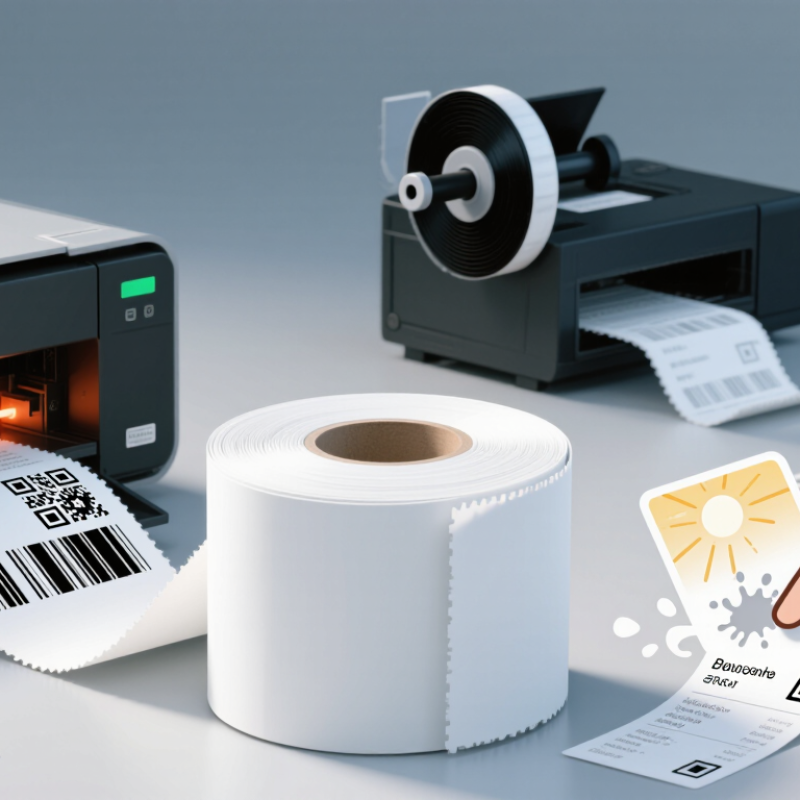
Thermal Paper Labels are designed to print without a separate ink cartridge. Their surface contains a heat-sensitive coating that darkens when touched by a printer’s heated printhead. The result is a sharp image produced directly on the label. No ribbon is needed. This simple setup makes direct thermal labels useful for shipping addresses, receipts, retail tags, and short-term inventory identification.
The process is straightforward, but the material matters. A printer warms tiny areas of the coating to form text, barcodes, or simple graphics. Unheated areas stay light, creating contrast that scanners can read. In daily use, print quality depends on compatible label stock, correct printer settings, and a clean printhead. A faint barcode may come from the wrong temperature setting, dust, or worn supplies—not necessarily a faulty printer. Small details count.
Direct thermal labels are different from thermal transfer labels, which use a ribbon to transfer ink onto the label. Check your printer’s specifications before ordering, since the two types are not interchangeable in every device. Thermal paper labels also have a practical limitation: heat, sunlight, friction, and some chemicals can make images fade or darken over time. They often suit labels used soon, but may be less suitable for long-term records or harsh environments. Testing a sample in the actual storage conditions is sensible. It is easy to overlook that step. Choosing a label is not just about getting a readable print today; it is also about how long that print needs to last.
What Defines a Thermal Paper Label? Facestock, Heat-Sensitive Coating, Adhesive, and Liner
A thermal paper label is built from several layers, each doing a specific job. The facestock is the printable paper surface. Beneath it sits a heat-sensitive coating, often containing materials that darken when heated. A printer’s thermal head applies tiny, controlled points of heat, forming text or barcodes without ink or toner. The result is quick and quiet. But the image can fade with time, heat, sunlight, or friction.
The adhesive holds the label to a package, shelf, or container. Its performance depends on the surface: a clean cardboard box is different from a cold, curved plastic bottle. The liner protects the adhesive before use and helps labels feed through a dispenser. Tips: Store rolls away from heaters and direct sun. Test a label on the actual surface before a large print run. Small tests help.
In use, the printer heats selected areas of the coating, creating dark marks where information is needed. Direct thermal labels need no ribbon, but that convenience comes with limits. Some coatings are more durable than others, and “thermal paper” does not guarantee the same image life across applications. Check the label’s intended storage conditions, then handle a sample as the finished package will be handled. One detail is easy to miss: adhesive choice and print durability are separate decisions. A label may stick well yet still lose contrast.
How Does Direct-Thermal Imaging Work? A Heated Printhead Darkens the Coating
Thermal paper labels create images without ink or a transfer ribbon. In direct-thermal printing, a row of tiny heating elements touches the label’s coated surface. The printer activates selected elements as the label moves beneath the printhead. Heat triggers a chemical change in the coating, turning those spots dark. Unheated areas stay light, forming text, barcodes, or simple graphics. The process happens quickly.
Print quality depends on more than heat alone. The printhead must press evenly, and the label coating must respond consistently. Dust, worn elements, or an unsuitable heat setting can leave pale lines or overly dark patches. A barcode may look clear to the eye but still scan poorly. Direct-thermal labels can also fade faster when exposed to sunlight, high temperatures, or friction. That trade-off is easy to overlook.
Tips: Store labels in a cool, dry place away from direct sun. Test a sample on the actual printer, then check small text and scan the barcode. If the print looks uneven, inspect the printhead and adjust the heat setting cautiously. A little trial and error is normal.
What Do Printhead Resolutions Mean? Common Options Include 203, 300, and 600 dpi
Thermal paper labels form images when a heated printhead darkens a heat-sensitive coating. Printhead resolution describes how many individual dots fit into one inch. It affects the detail a printer can reproduce, but it does not guarantee a readable barcode by itself.
At 203 dpi, dot spacing is about 0.125 mm; at 300 dpi, about 0.085 mm; and at 600 dpi, about 0.042 mm. These figures use 25.4 mm per inch. Across a 2 mm line, the heads produce roughly 16, 24, and 48 dots, respectively. More dots help. They can make tiny text and narrow barcode elements more consistent, though each element must still align with whole dots. That detail is easy to overlook.
For shipping labels with larger text and symbols, 203 dpi may provide enough detail. Small labels or fine graphics can benefit from 300 or 600 dpi, depending on print speed and material. Still, I would not choose by resolution alone. ISO/IEC 15416:2016 evaluates linear barcode print quality using factors such as reflectance and defects; dpi is only one part of the result. GS1’s General Specifications also define barcode dimensions, so the printed symbol must meet its application’s size requirements. A practical check is to print the smallest label design and verify it with a barcode verifier.
How Do Label Layers Affect Performance? Topcoats Help Resist Scuffs, Oils, and Moisture
Thermal paper labels form images when a printhead heats a reactive coating, so they need no ink ribbon. That simplicity makes the surface layers important. A topcoat sits above the image-forming layer and acts as a protective barrier. During handling, it can reduce scuffs from cartons, rollers, and frequent finger contact.
Topcoats also help limit damage from light oil splashes and brief exposure to moisture. This matters on labels touched during packing or stored in a cool room. The protection is not unlimited. A topcoat does not make ordinary thermal paper waterproof, and prolonged oil contact or rubbing can still blur printed details. There’s a catch.
The right label depends on the job. A warehouse label may need stronger abrasion resistance, while a food container label may face condensation or oily hands. Check that the label material and adhesive suit the surface and storage conditions, too; a durable topcoat cannot prevent an unsuitable adhesive from lifting. In practice, test a sample through the actual handling process. Rub it with a dry cloth, expose it to expected moisture, and inspect small text and barcodes. Even a good coating can disappoint when the environment is harsher than anticipated.
When Should You Choose Direct Thermal or Thermal Transfer Labels?
Thermal paper labels create text and images when a heated printhead activates a heat-sensitive coating. Direct thermal printing needs no ribbon, which keeps setup simple and reduces consumables. It suits shipping labels, short-term inventory tags, and receipts that move quickly through a workflow. The trade-off is durability. Heat, sunlight, friction, and some chemicals can darken or fade the image. A label stored beside a warm window may become hard to read sooner than expected.
Thermal transfer printing uses a heated ribbon to transfer ink onto the label surface. Choose it when labels must remain legible for months, face abrasion, or withstand changing temperatures. It is often a better fit for equipment identification, warehouse shelving, and product tracking. The right combination of ribbon and label material matters; a durable ribbon cannot fix a poorly matched surface. Direct thermal may still be sensible for short-life labels, even in busy operations. The distinction is easy to oversimplify. Consider how long the label must last, where it will be used, and what it may rub against. Testing sample labels in the actual environment is a practical check before committing to a large order.
What Are Thermal Paper Labels and How Do They Work?
Choose direct thermal or thermal transfer based on how the label is printed and the materials it needs.
How to read the chart: “Yes” means the feature applies. Direct thermal printing uses heat-sensitive label media and no ribbon. Thermal transfer printing uses a ribbon to transfer ink onto the label. Both methods use a heated printhead. Thermal transfer supports a broader range of paper and synthetic stocks when the ribbon and label material are compatible.